
Nucleion
Turn ideas into finished sound with a single, cohesive multi-FX engine
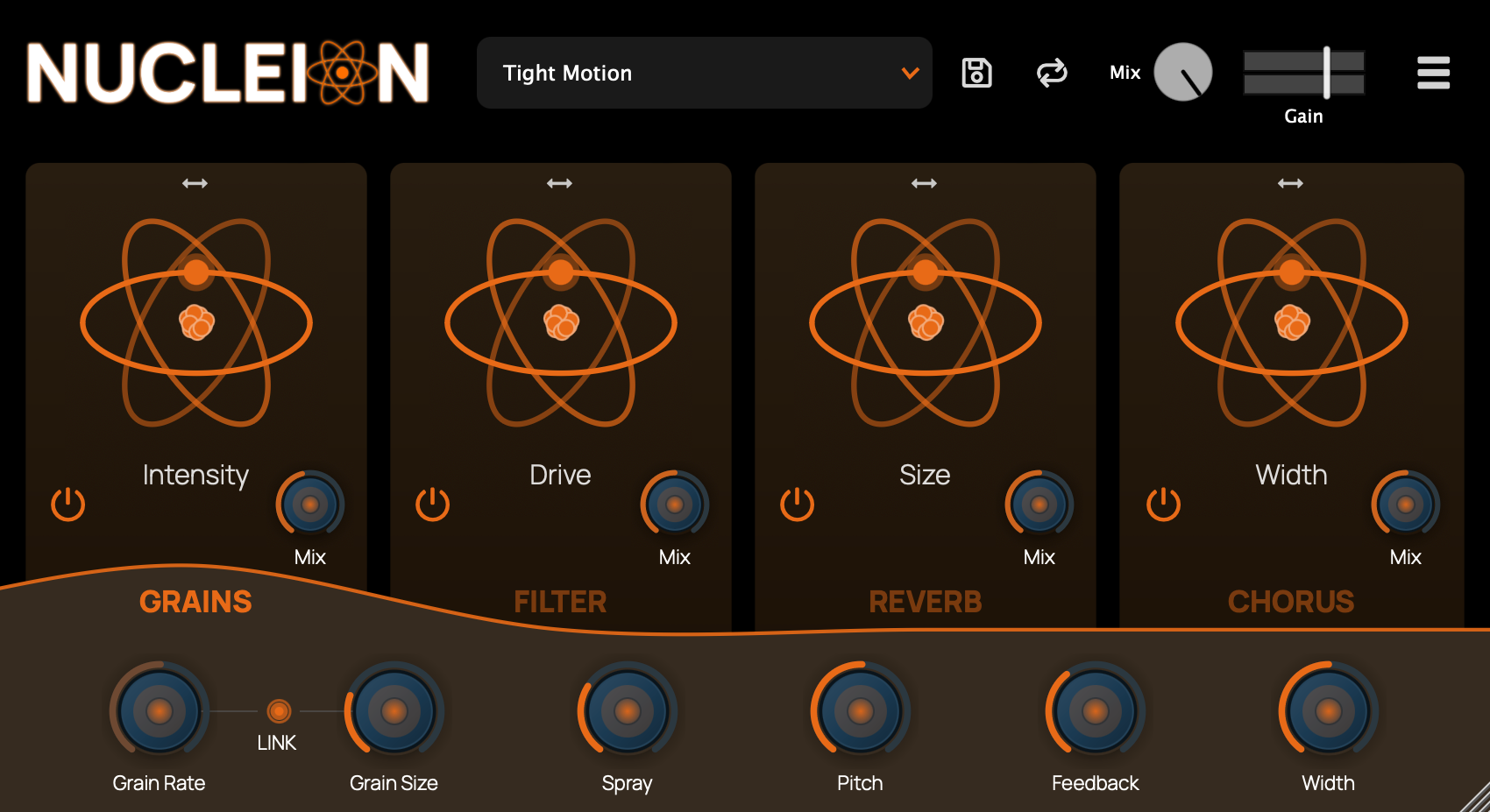
- 4 individual effects engines
- Reorder effects to create new sounds
- Grains Engine, Chorus, Reverb and Filter
- Independent bypass and mixing controls
Formats Available
Features
A modular multi-FX engine from Full FX Media, built to turn raw ideas into finished sound.
Nucleion combines four powerful effects into a single, cohesive workflow, letting you sculpt motion, texture, and tone with precision or happy accidents. From subtle enhancement to full-on transformation, Nucleion is designed to stay musical at every setting.
Perfect for sound design, creative mixing, and evolving effects chains.
Who Is Nucleion For?
Sound Designers
Reorder the four effect engines in any sequence to create textures that no fixed-chain plugin can produce. Run grains through the reverb, or filter the chorus tail — the signal path is yours to define.
Bedroom Producers
One plugin, four engines, infinite combinations. Nucleion replaces a stack of individual effects with a single, cohesive tool that keeps your session clean and your CPU happy.
Mix Engineers
Apply subtle granular shimmer, tight chorus, or controlled reverb — each engine has independent bypass and dry/wet controls so you blend precisely without committing to full wet processing.
Installation & Activation
Download the Nucleion installer from your Full FX Media account. Your licensed products and installer downloads are available from the product panel.
macOS
Open the .pkg installer and follow the on-screen instructions. Nucleion will be installed to your system plugin directories automatically.
Windows
Run the .exe installer and complete setup. Nucleion will be placed in your default VST3 and CLAP directories.
Linux
- LV2: Copy the
.lv2folder to your LV2 plugin directory (commonly~/.lv2/) - VST3: Copy the
.vst3folder to your VST3 directory (commonly~/.vst3/)
After installation, restart your DAW and rescan plugins if required. If you run into any issues, reach out at support@fullfxmedia.com.
Your download will begin shortly...
Subscribe for Updates
Enter your e-mail to receive updates on new versions of our plugins or take a look at our open source projects on GitHub.