
Impakt
A multiband transient shaper for punch, clarity, and control.
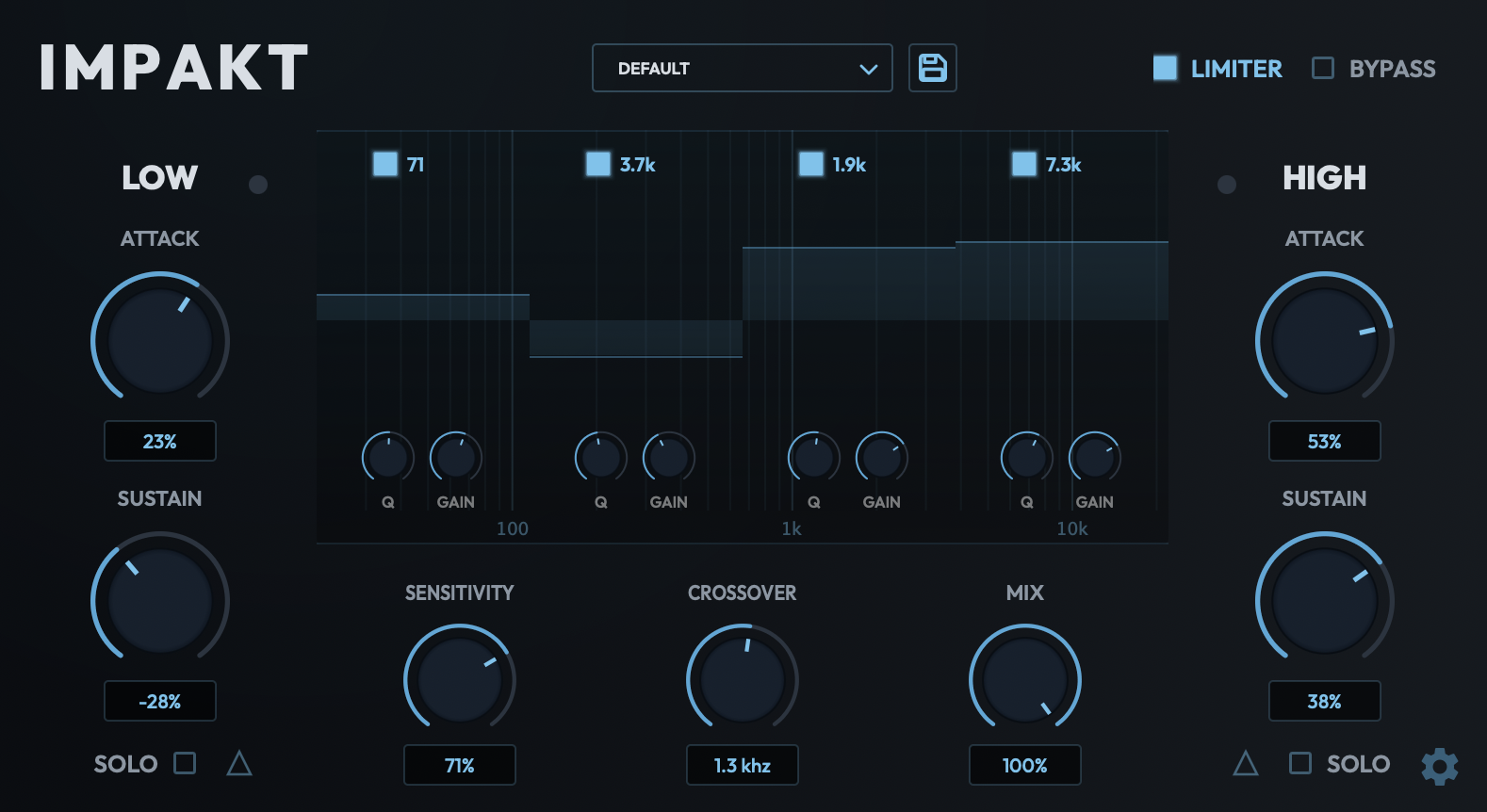
- High/Low multiband transient shaping bands
- Four transient-reactive parametric EQ bands
- Adjustable crossover from 40 Hz to 20 kHz
- Built-in soft clip limiter
- Per band solo monitoring
- Per band delta monitoring for parallel transient blending
- Included presets and preset manager
- Realtime spectrum analyzer showing pre/post shaping, live during delta and solo monitoring
HEAR FOR YOURSELF
Drum Break
Formats Available
Features
A multiband transient shaper built for precise sound adjustment across the full frequency spectrum.
Impakt gives you independent attack and sustain control per band, the kind of transient master tool that replaces multiple surgical EQ moves with a single, focused plugin. Dial in punch on drums, tighten low-end transients, or shape the envelope of any sound without touching the tonal balance.
Perfect for mix bus control, drum bus shaping, and detailed transient design at every stage of production.
Who Is Impakt For?
Sound Designers
Shape the envelope of any sound with independent attack and sustain control per band. Sculpt a snare's crack, tame a synth's pluck, or exaggerate a foley hit's impact without touching the underlying tone.
Bedroom Producers
One plugin replaces a stack of surgical EQ moves and compressor tricks. Dial in punchier drums and tighter low-end transients fast, with a soft-clip limiter built in to keep everything under control.
Mix Engineers
Split the spectrum across adjustable crossover bands and solo each one to monitor your changes in isolation. Shape transients precisely on the mix bus or drum bus without disturbing tonal balance.
Installation & Activation
Download the Impakt installer from your Full FX Media account. Your licensed products and installer downloads are available from the product panel.
macOS
Open the .pkg installer and follow the on-screen instructions. Impakt will be installed to your system plugin directories automatically.
Windows
Run the .exe installer and complete setup. Impakt will be placed in your default VST3 and CLAP directories.
Linux
- LV2: Copy the
.lv2folder to your LV2 plugin directory (commonly~/.lv2/) - VST3: Copy the
.vst3folder to your VST3 directory (commonly~/.vst3/)
After installation, restart your DAW and rescan plugins if required. If you run into any issues, reach out at support@fullfxmedia.com.